

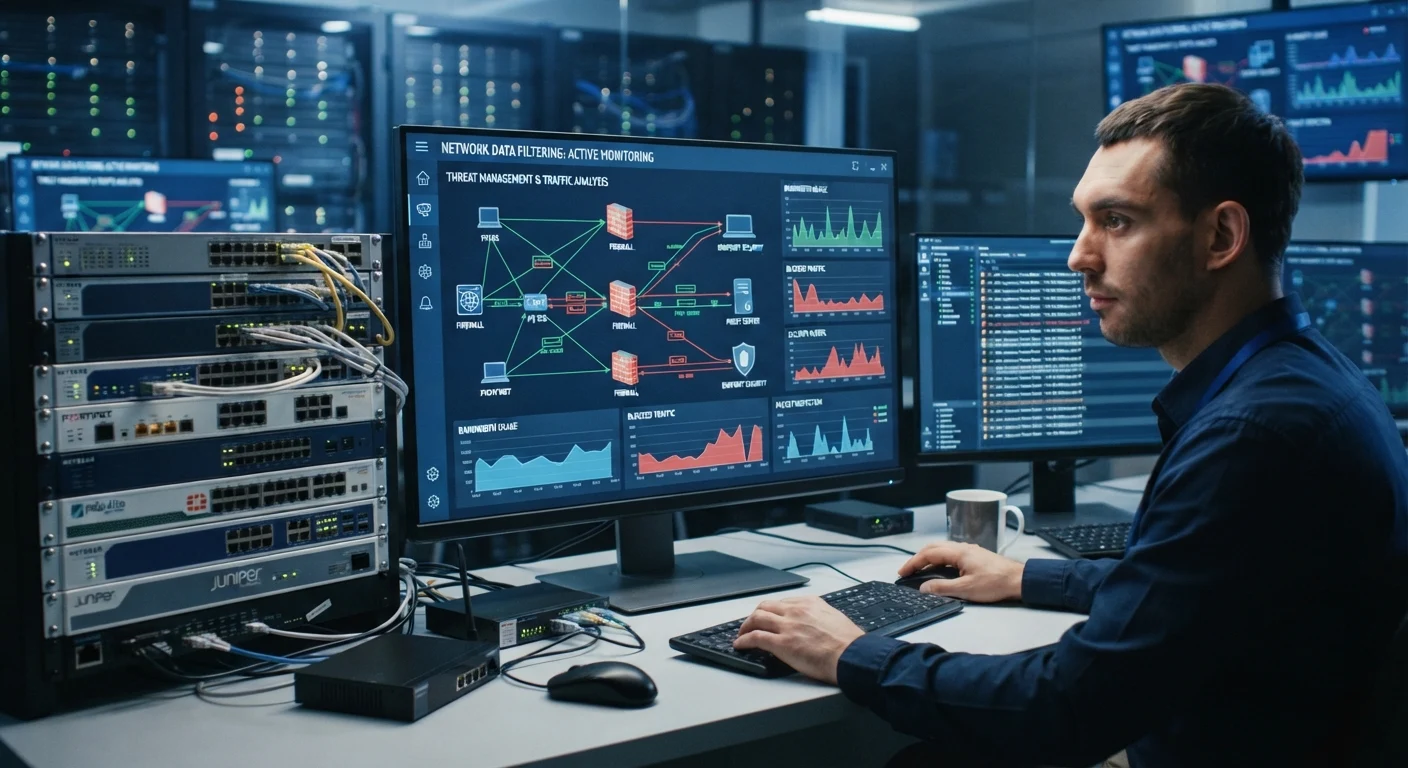
Every network has the same basic problem. Data needs to move freely enough for people to do their jobs, but not so freely that malware walks in or sensitive files walk out. Hardware/software solutions for filtering network data transfers, how you manage that tension. It decides what gets through, what gets blocked, and what gets flagged for a closer look.
The tools for this job range from a small firewall box under a desk to cloud services that inspect traffic for thousands of remote workers. Some are hardware, some are software, and most real-world setups use a mix of both. This guide walks through how filtering works, what each type of solution does well, where each one falls short, and how to pick the right combination for your situation.
What Filtering Network Data Transfers Actually Means
Hardware/software solutions for filtering network data transfers, simply means inspecting traffic and applying rules to it. The rules can be crude (block everything on a certain port) or highly specific (allow employees to upload to the company cloud drive but not to personal storage accounts, and never let files containing credit card numbers leave at all).
It helps to think of the work in two directions. Inbound filtering protects you from what is coming in: scanning, exploit attempts, malicious downloads, spam, and infected attachments. Outbound filtering, often called egress filtering, controls what leaves. Many organizations spend most of their effort on the first and neglect the second, which is a mistake. Malware that has already landed on a machine needs to talk to its operator, and a careless or malicious insider needs a path to move data out. Outbound rules are often your best chance to catch both.
The Layers at Which Traffic Can Be Filtered
Before comparing products, it is worth understanding that filtering happens at different depths, and the depth determines what a tool can and cannot see.
The simplest approach is packet filtering. It looks at header information such as source and destination IP addresses, ports, and protocol, and allows or denies based on those values alone. It is fast and cheap, and it is what basic router access control lists do. The weakness is that it knows nothing about context. It cannot tell whether a packet belongs to a legitimate conversation or is something an attacker crafted.
Stateful inspection fixes that by tracking connections. The device remembers that your laptop opened a session to a web server, so it allows the reply and drops unsolicited traffic that claims to be a reply. This became the standard for firewalls decades ago and remains the foundation of nearly every product on the market.
Application-layer filtering goes further. It identifies the actual application or protocol, regardless of port, and can apply policy to it. This is what separates a modern next-generation firewall from an older port-based one. Traffic that tunnels over port 443 can still be recognized as a file-sharing service, a video call, or a remote access tool, and treated accordingly.
Content filtering is the deepest layer. It examines what is inside the transfer: the file type, the URL category, malware signatures, or patterns like national ID numbers. Content-aware tools are where data loss prevention and malware scanning live.
The deeper the inspection, the more processing power it needs and the more it runs into the biggest obstacle of all, which is encryption. More on that shortly.
Hardware Solutions for Filtering Network Traffic
Hardware here means dedicated appliances, physical devices built to sit in the data path and do one job at speed.
Firewall Appliances and Next-Generation Firewalls
The firewall appliance is the workhorse. Vendors such as Fortinet, Palo Alto Networks, Cisco, Check Point, Juniper, and Sophos all sell physical units in sizes from small-office boxes to data center chassis. Many use custom chips or optimized packet-processing hardware to handle high throughput without slowing the network down.
Next-generation firewalls combine stateful inspection with application awareness, intrusion prevention, URL filtering, and often malware scanning and TLS decryption. Smaller businesses sometimes buy these under the label unified threat management, which bundles several security functions into one device with one management console. The convenience is real, but so is a catch: every extra feature you switch on consumes processing capacity. A firewall rated at several gigabits for plain packet forwarding will deliver much less with full inspection enabled. Vendors publish both numbers, and the second one is the one that matters.
Dedicated Intrusion Prevention and Web Filtering Appliances
Some organizations keep specialized devices separate from the firewall. An intrusion prevention system sits inline and drops traffic matching known attack patterns or suspicious behavior. A secure web gateway or proxy appliance handles web browsing policy, checking URLs against category databases and scanning downloads. Email security gateways do the same for messages and attachments. Splitting these roles adds cost and complexity, but it lets each device be tuned for its task and avoids overloading a single box.
Switches, Routers, and Network Packet Brokers
Not all hardware filtering is security-focused. Ordinary switches and routers support access control lists that permit or deny traffic between network segments. They are blunt tools but extremely quick, and they are often the right place to enforce simple boundaries, such as keeping a guest network away from internal servers. At the other end of the scale, large networks use taps and packet brokers to copy traffic to monitoring tools without placing those tools inline, so a failed analyzer cannot take the network down with it.
Strengths and Limits of Hardware
The case for hardware is mostly about performance and predictability. Purpose-built devices handle heavy traffic with low latency, and they keep the filtering workload off your servers and workstations. They also have a clear physical place in the network, which makes them easy to reason about.
The downsides are equally concrete. Appliances cost real money up front, then carry annual subscriptions for threat feeds and support. They have a refresh cycle, typically measured in years, and capacity planning matters because you cannot simply add memory when traffic doubles. Most importantly, a hardware perimeter only protects traffic that passes through it. Employees working from home, cloud workloads, and mobile devices on cellular networks all bypass it unless you do something extra.
Software Solutions for Filtering Network Traffic
Software solutions run on general-purpose servers, virtual machines, endpoints, or in someone else’s cloud. They trade some raw speed for flexibility and reach.
Host-Based Firewalls
Every major operating system includes a firewall. Windows has Windows Defender Firewall, Linux uses netfilter through tools like iptables and nftables, and macOS and the BSD family have pf. These filter traffic on the individual machine itself, which means protection travels with the device wherever it connects. They are free, well documented, and underused. A properly configured host firewall limits how far an attacker can move once they get a foothold on one machine.
Open-Source Network Security Tools
Open-source projects cover a surprising amount of ground. pfSense and OPNsense turn ordinary hardware into capable firewalls with routing, VPN, and traffic shaping. Suricata and Snort are widely used intrusion detection and prevention engines. Zeek focuses on network visibility, logging detailed records of what it sees rather than just blocking. Squid is a long-established caching and filtering proxy. Pi-hole blocks unwanted domains at the DNS level and is popular at home. These tools cost nothing to license, but they cost time. You need someone who can install, tune, and maintain them, and support comes from documentation and community rather than a vendor phone line.
DNS Filtering
DNS filtering deserves its own mention because it is light, quick to deploy, and effective. Before a device connects to a site, it asks DNS for the address. A filtering resolver can refuse to answer for known malicious or unwanted domains, stopping the connection before it begins. Services like Cisco Umbrella and Cloudflare Gateway offer this commercially, and it works for any device pointed at the resolver. The limitation is that it only sees domain names, not the content of traffic, and it can be sidestepped by software that connects straight to an IP address or uses its own encrypted DNS settings.
Cloud Firewalls and Virtual Appliances
In cloud environments, filtering is built into the platform. AWS offers security groups and network ACLs, and Azure has network security groups, all of which control traffic to and from virtual machines. For deeper inspection, vendors sell virtual versions of their firewalls that run as instances inside the cloud. These scale more easily than hardware and fit infrastructure-as-code workflows, though costs can climb as traffic grows.
Secure Service Edge and SASE
As more work moved outside the office, vendors built filtering into cloud-delivered services. Secure access service edge, or SASE, combines network functions like software-defined WAN with security functions such as secure web gateways, cloud access security brokers, and zero trust network access. Instead of backhauling all traffic to a central office firewall, user traffic goes through the provider’s nearby points of presence, where policy is applied. The appeal is consistent rules for everyone regardless of location. The trade-offs are dependence on a third party and the need to trust that provider with your traffic.
Filtering Outbound Transfers and Preventing Data Loss
Blocking threats is only half the picture. Many serious incidents involve data leaving rather than attackers arriving, and stopping that takes a different set of tools.
Data loss prevention software inspects content as it moves and compares it against policies. It can recognize patterns such as payment card numbers, match fingerprints of sensitive documents, or react to labels applied by classification tools. Network DLP watches traffic crossing the perimeter, while endpoint DLP runs on the device and can control actions like copying to a USB drive, printing, or uploading through a browser. Cloud access security brokers extend similar control to sanctioned and unsanctioned cloud services.
Plain egress rules still do a lot of the work. A server that has no business browsing the internet should not be allowed to. A database host should only talk to the application servers that need it. Restricting outbound connections to a short list of required destinations shrinks the exit routes available to malware and makes unusual connections stand out in the logs.
Organizations that exchange files with partners often use managed file transfer systems. These wrap protocols like SFTP with authentication, encryption, auditing, and policy, so you know who sent what, when, and whether it was scanned on the way.
The Encryption Problem
Most web traffic is now encrypted, and that changes what filtering can do. A device that cannot read the payload cannot scan it for malware or sensitive data. The common answer is TLS inspection, where the firewall or proxy acts as a middleman. It terminates the user’s encrypted connection, inspects the clear text, then opens a fresh encrypted connection to the destination. For this to work, client devices must trust a certificate issued by the inspecting device.
This approach works, but it has costs. Decryption is processor-intensive, which is why inspection throughput is often a fraction of a firewall’s headline number. Some applications use certificate pinning and break when intercepted, so they need to be exempted. Newer protocol features, including TLS 1.3 and the developing Encrypted Client Hello, reduce the visibility that filters used to rely on, such as the server name sent in plain text during the handshake. There are also privacy and legal considerations. Decrypting banking, healthcare, or personal traffic raises questions that policy and local regulation need to answer, and many organizations choose to exclude those categories from inspection.
Where decryption is not practical, filtering shifts toward metadata and behavior: which destinations, how much data, how often, and at what time. It is less precise, but still useful.
Hardware or Software: Which Makes More Sense?
The honest answer is that this is rarely an either-or decision. Hardware shines at the network edge and in data centers where traffic volume is high and consistent. Software wins where devices move around, where workloads live in the cloud, or where budgets and teams are small and flexible. Most mature environments layer them: a firewall at the perimeter, host firewalls on endpoints, DNS or cloud-based filtering for roaming users, and DLP where the data justifies it.
Layering also protects you from the failure of any single control. A perimeter appliance will not help when a laptop is infected at a coffee shop and then plugged into the office network. A host firewall will not help against a flood of traffic at the edge. Each layer covers gaps in the others.
How to Choose the Right Solution
Start with what you are protecting and where it lives. A home user with a few devices is well served by the router’s built-in firewall, perhaps with DNS filtering added. A small business with one office and a handful of cloud apps can often manage with a single next-generation firewall or a unified threat management appliance, plus endpoint firewalls. A mid-sized company with remote staff should look hard at cloud-delivered filtering alongside an office firewall. Large enterprises and regulated industries typically need all layers, with central logging and dedicated staff to run them.
Several practical questions narrow the field quickly. How much traffic do you actually move, measured with inspection turned on rather than the brochure figure? Do you need to decrypt traffic, and can you manage certificates on every device? What compliance rules apply to your data? Who will maintain the system day to day? A powerful platform that nobody has time to tune will perform worse than a simpler one that is kept up to date.
It is also worth asking about the ongoing cost, not just the purchase price. Subscriptions for threat intelligence, licensing tied to throughput or user counts, and the cost of specialist skills often add up to more than the hardware itself.
Setting Up Filtering That Works
Good tools can still be undermined by poor setup. The most dependable principle is default deny, meaning traffic is blocked unless a rule explicitly allows it. It takes more effort at the start but leaves far fewer surprises. Rules should be written with a reason attached and reviewed regularly, because old rules for retired systems accumulate quietly and widen your exposure.
Be deliberate about how a device sits in the network. Inline devices can block, but they can also break things if they fail. Decide in advance whether a failure should let traffic through or stop it, and use redundant pairs for anything critical. Passive deployments are safer for operations but can only detect and alert.
Test changes before they go live, ideally in monitoring mode first, so you can see what a new policy would block without disrupting anyone. Keep firmware, signatures, and threat feeds current. And send logs somewhere you will actually look at them. Filtering generates a record of what is happening on your network, and that record is often the first place an incident becomes visible.
Common Mistakes to Avoid
The most common mistake is assuming a firewall alone is enough. Attacks routinely arrive through phishing, stolen credentials, and approved applications, none of which a simple port filter will catch. Another is leaving egress wide open because inbound rules look tidier. Teams also tend to enable inspection features and then quietly turn them off after complaints about performance, leaving them with an expensive device doing basic filtering. Finally, many organizations forget to account for traffic that never touches the perimeter, such as remote users and cloud-to-cloud transfers.
Where Network Filtering Is Heading
Two trends stand out. First, the perimeter keeps dissolving. With cloud applications and distributed workforces, vendors and security teams are moving toward zero trust ideas, where every connection is verified rather than trusted because of where it originates. Filtering follows users and workloads instead of sitting at one physical choke point. Second, detection is leaning more on behavior. Machine learning features in security products try to spot unusual patterns, such as an odd volume of data going to a rare destination, rather than relying only on known signatures. These capabilities vary widely in quality between vendors, so they are worth testing rather than taking on faith.
Hardware is not going away. Fast links and high-volume environments still need dedicated silicon. But it increasingly works alongside software and cloud services rather than replacing them.
Final Thoughts
Filtering network data transfers is less about buying the right product and more about deciding what you need to control, then matching tools to those needs. Hardware gives you speed and a dependable chokepoint. Software gives you reach, flexibility, and lower entry costs. Content-aware tools like DLP address the risk of data leaving, and encryption means you must make a clear decision about what to inspect and what to leave alone.
Begin with the basics: a default-deny posture, sensible egress rules, and host firewalls on every device. Add deeper inspection where the risk justifies the cost and effort. Review it regularly, because the network you are protecting will not stay the same for long, and neither will the threats aimed at it.